- The Net Gain
- Posts
- Use ChatGPTs NEW update to 10X your Presentations
Use ChatGPTs NEW update to 10X your Presentations
Learn how to develop images for your presentations using ChatGPT's new tool!

Netzer Wasserberg
October 30, 2023
Read time: 2.5 minutes
Hello, fellow Fluxers,
Welcome to another day of fun and new automations to 10x your productivity.
Here’s what’s on the menu today:
🤖 Building effective presentations with ChatGPT’s image generation update!
❓Question for You! We’re thinking about changing the name of the newsletter, and we need your help
⚡️3 AI Tools to supercharge your productivity
🤖 Tutorial
Build Presentations with ChatGPT’s Image Generation Update
ChatGPT’s New Image Generation Update
ChatGPT got a new update that allows ChatGPT Plus users to generate images based on descriptive prompts. You can describe a scene, object, landscape, or any other concept, and it’ll create a visual representation of it.
For example, you could describe a "serene beach at sunset with palm trees and a hammock," and it can generate an image based on that description.
So we’re going to be providing a detailed description of an image, and see how well chatgpt visualizes it.
Here’s the structure that we’re going to be using:
File Format: Begin by specifying the file format of the image like “png”, “jpg”. Currently, the new update does not support “pdf” formats.
Type of Image: Specify the format like "photo," "illustration," "cartoon," "oil painting," etc. This helps set the tone and style of the image.
Main Subject/Setting: Clearly describe the primary subject or setting. This is the focal point of your image. E.g., "a serene beach," "a bustling city street," "a quiet library."
Details & Features: Dive into specifics. If it's a setting, describe elements within that setting. If it's a subject, describe its characteristics. E.g., "white sandy shores, turquoise waters, and distant mountains."
Interaction & Action: Mention if there are any interactions or actions happening. This adds dynamism. E.g., "children building sandcastles," "cars honking and people crossing the street."
People (if any): If there are people, describe them in detail. Mention gender, descent, clothing, and actions to ensure a diverse representation. E.g., "a woman of Asian descent reading a book, a man of African descent jogging."
Mood & Atmosphere: Set the emotional tone. E.g., "sunset casting a golden hue," "rain making the streets glisten."
Additional Elements: Any props, animals, or other items that add context or flavor. E.g., "a red umbrella left open," "seagulls flying overhead."
Let’s develop an example using the structure above:
File Format: PNG
Type of Image: Illustrative image
Main Subject/Setting: Sleek modern office setting
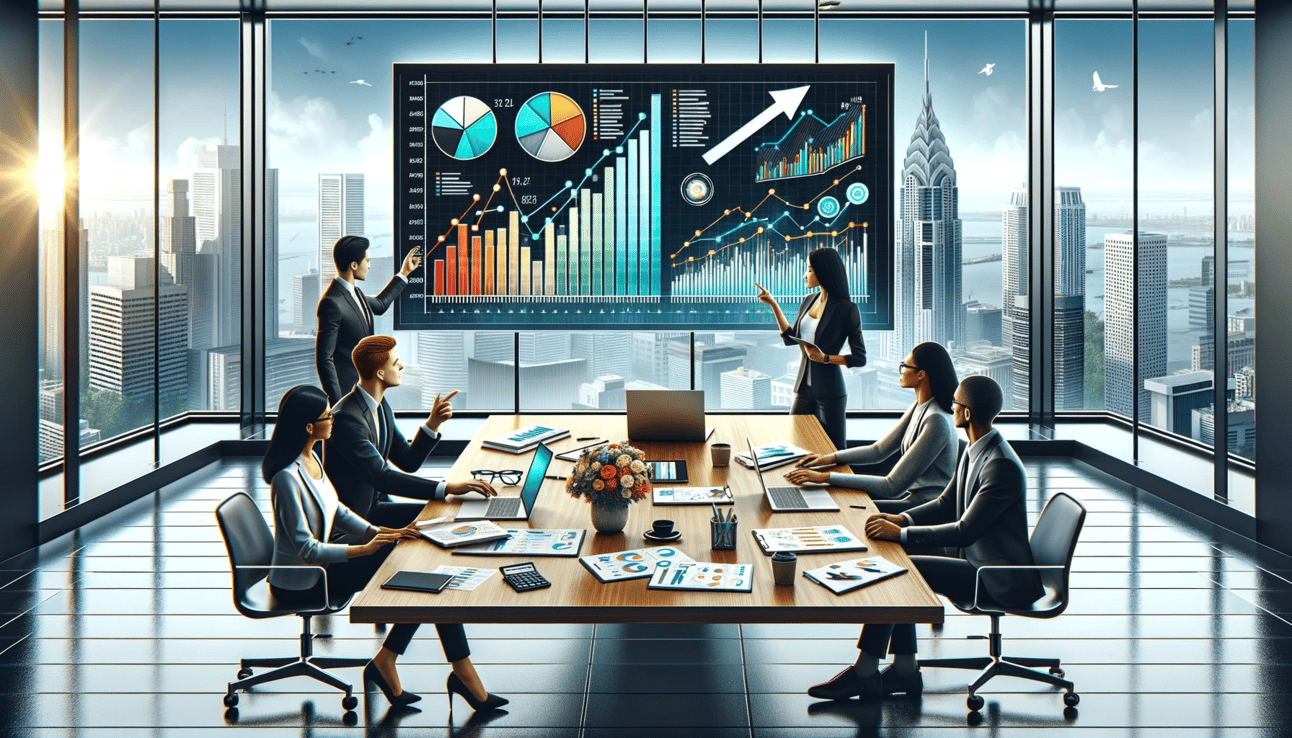
Details & Features: Large windows overlooking a bustling city, a polished wooden table, an open laptop, neatly organized documents, a cup of coffee, and a calculator.
Interaction & Action: On the whiteboard behind, various financial terms are written, along with a rising arrow indicating upward trends.
People: A diverse group of professionals—two women and one man of different descents.
Mood & Atmosphere: Emphasizing collaboration and teamwork.
Additional Elements: Colorful bar and pie charts on the laptop representing financial growth.
Here’s the final prompt:
"Illustrative PNG image of a sleek modern office with large windows offering a view of a bustling city. A polished wooden table features an open laptop showcasing vibrant bar and pie charts indicating financial growth, surrounded by organized documents, a coffee cup, and a calculator. A whiteboard in the backdrop displays financial terms and a rising arrow. To one side, a diverse trio of professionals — a woman of Asian descent, another woman of African descent, and a man of Caucasian descent — engage in animated discussion, pointing at the charts and highlighting teamwork and collaboration."

ChatGPT
You can also specify the dimensions of your image…

ChatGPT
❓Question for You!
We’re thinking about changing the name of the newsletter to “The Net Gain”, but we’re on the fence. We want your opinion! What do you prefer, “Financial Flux” or “the net gain”?
Cast your vote below…

Julius: Analyze your data and files using AI.
Meeting Summarizer: Record a meeting and generate summarized meetings in minutes.
Galileo AI: Bring your product ideas to life by turning text prompts into compelling designs.
👋 Until next time
Stay tuned for more insights and tools to help you automate your financial journey.
Until next Monday!
Netzer
P.S. If you want to sign up for this newsletter or share it with a friend or colleague, you can find us here.
Reply